
The quick question.
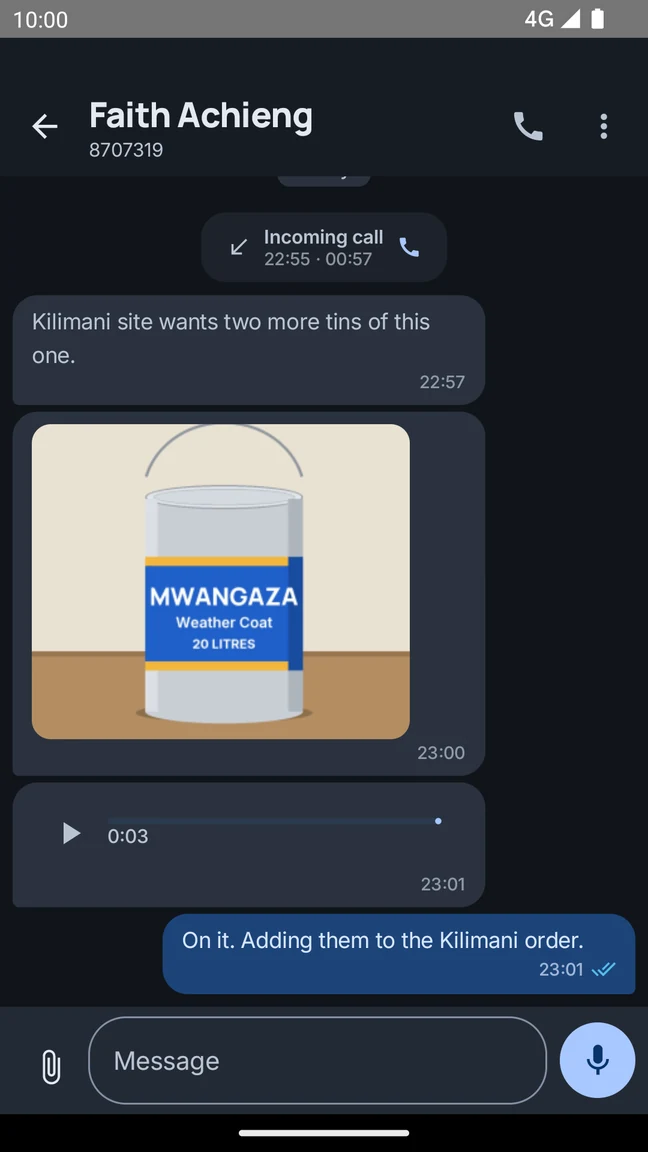
Give everyday questions a place to land. Direct and group conversations keep updates close to the people who need them.
Call and message the people you work with. Keep updates, photos and voice notes in one place.
Built by Zerxis in Nairobi, Kenya.
Less back-and-forth.
More in sync.
For the work between the big moments
Give everyday questions a place to land. Direct and group conversations keep updates close to the people who need them.
Photos, voice notes and conversation history help the next person get up to speed with a little more context.
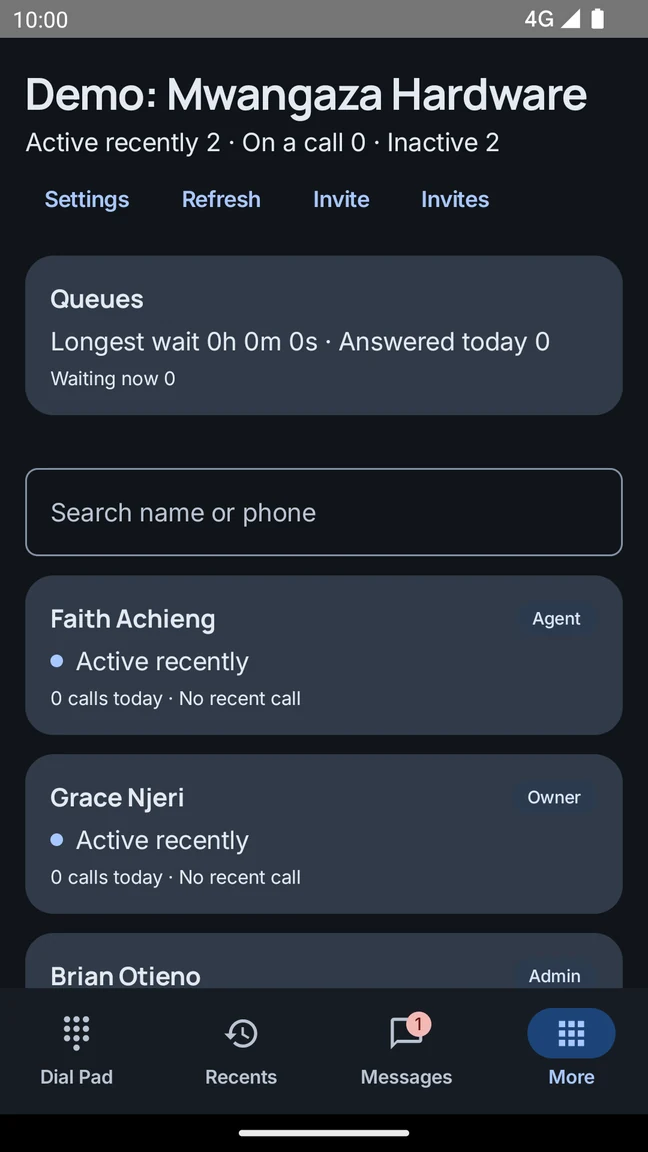
Find colleagues in your team directory and call when a conversation needs more than a message.
Tell us about your people, your current setup and the way you work. We’ll help you plan the next step.
Inside the app
Call a colleague, share a photo, or send a voice note without switching apps.
Messages
Share a photo from site, send a voice note, or reply to an update. Your team can find the details in the same conversation.
Interested in a business number? Join the waitlist from Account in the Android app. We’ll help you understand availability and what comes next.
Ask us about business numbersMake work calls, message your teammates, share photos and voice notes, and catch up on voicemail. Team calling and business features depend on how your workspace is set up.
Get Helpline on Google Play, then sign in with Google, a verified phone number, or your existing Helpline account. Joining an existing team? Ask your administrator for an invitation.
Business numbers are currently on a waitlist. Open More, then Account in the Android app to join. Our team can explain availability and help you plan your setup.
Calling mobile and landline numbers requires an eligible, activated calling service. Creating an account does not automatically activate that service. Payments and top-ups are not currently available in the app.
Talk to the Zerxis team about your current phone setup and the way your team works. We can help you understand workspace access, calling eligibility and the right next steps.
Helpline is built by Zerxis Limited in Nairobi, Kenya. You can reach our team at support@zerxis.com or through the WhatsApp link on this page.
Calls, chat and voicemail on your Android phone.