
Work through
your call list.
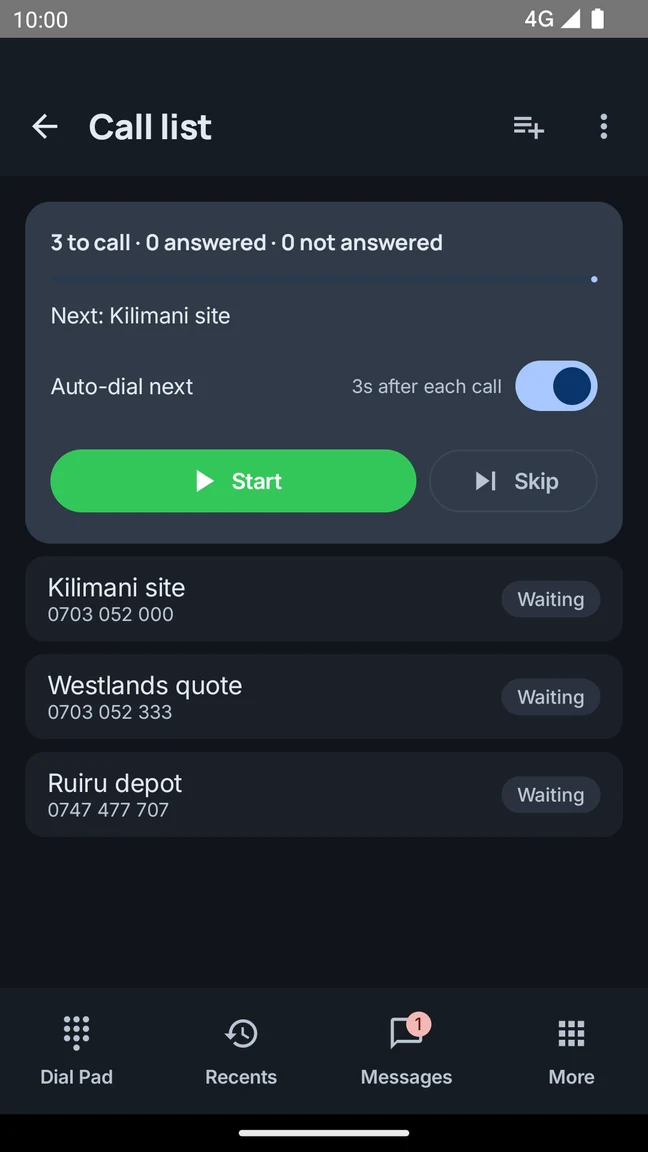
Paste your numbers or import a CSV. Work through your call list in order, then take your results with you.
Calls, team chats and voicemail on your Android phone. Keep the details together, whether you’re at the shop, on site or in the office.
Built by Zerxis in Nairobi, Kenya.
Less back-and-forth.
More in sync.
Inside the app
Call a colleague, share a photo, or send a voice note without switching apps.
Messages
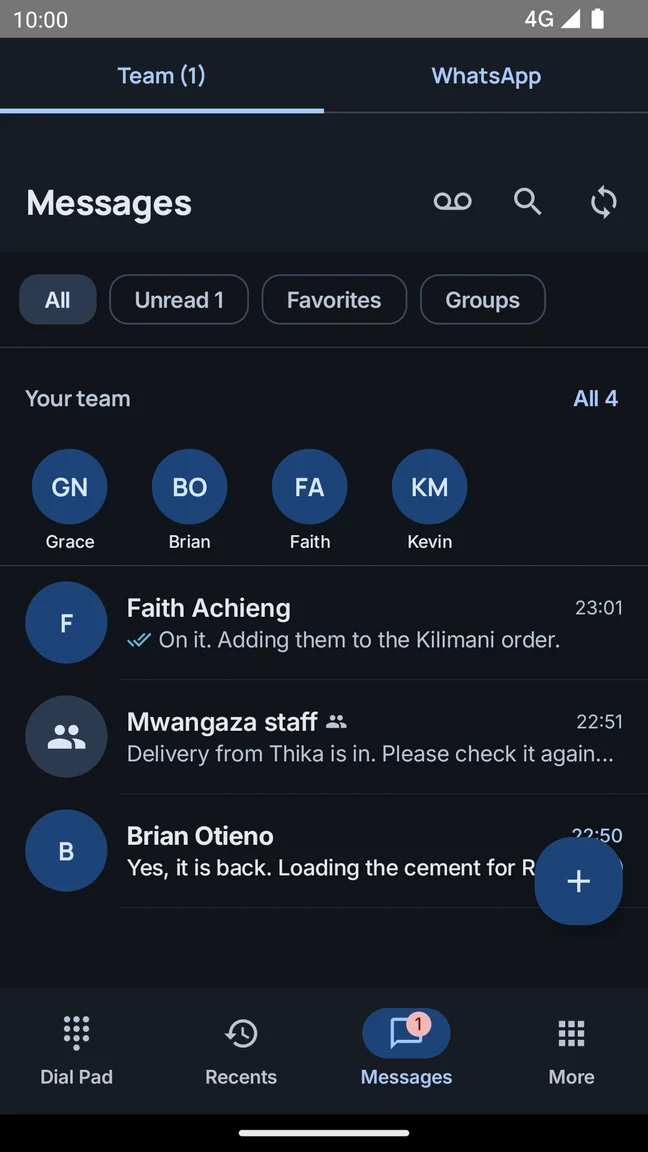
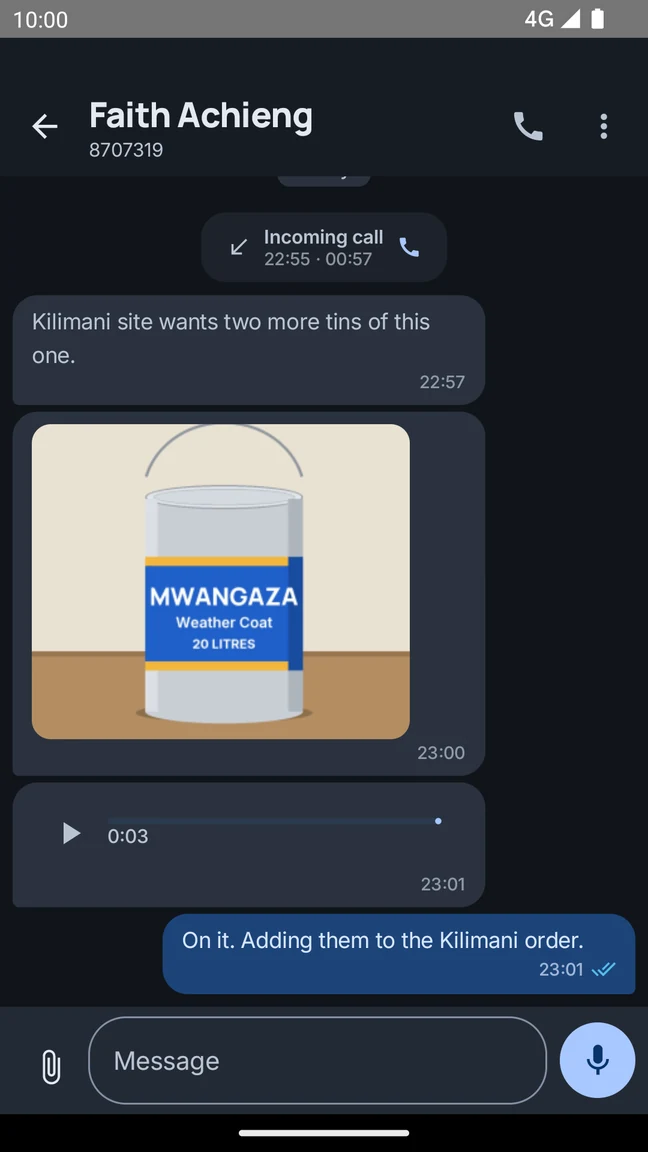
Share a photo from site, send a voice note, or reply to an update. Your team can find the details in the same conversation.
Your team
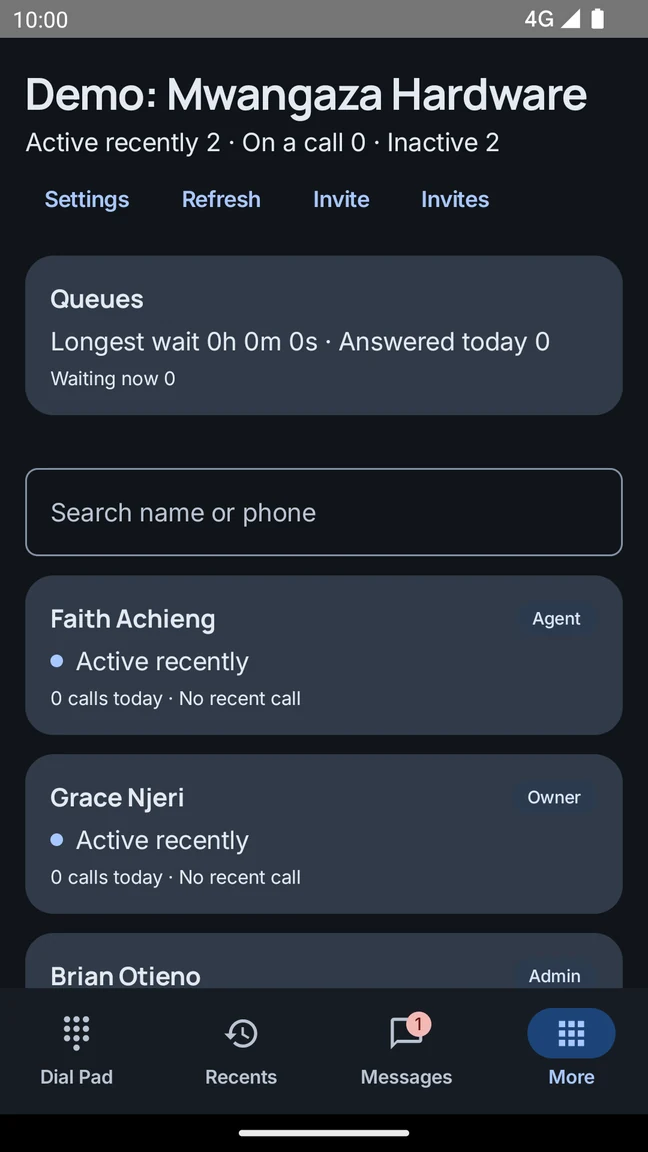
Ask a question, send an update, or call someone when it’s easier to talk. Your work conversations stay in one app.
Helpline for your teamCall lists and voice notes
Organise your calls and send an update when typing isn’t convenient.
Paste your numbers or import a CSV. Work through your call list in order, then take your results with you.
Explain the details in your own words, or share a photo so your team can see what you mean.
Voice-note illustrationListen to voicemail and read available transcripts inside Messages.
Interested in a business number? Join the waitlist from Account in the Android app. We’ll help you understand availability and what comes next.
Ask us about business numbersGetting started
Download Helpline from Google Play on your Android phone.
Sign in with Google, a verified phone number, or your existing Helpline account.
Joining a team? Ask your administrator for an invite and the right workspace access.
Make work calls, message your teammates, share photos and voice notes, and catch up on voicemail. Team calling and business features depend on how your workspace is set up.
Get Helpline on Google Play, then sign in with Google, a verified phone number, or your existing Helpline account. Joining an existing team? Ask your administrator for an invitation.
Business numbers are currently on a waitlist. Open More, then Account in the Android app to join. Our team can explain availability and help you plan your setup.
Calling mobile and landline numbers requires an eligible, activated calling service. Creating an account does not automatically activate that service. Payments and top-ups are not currently available in the app.
Talk to the Zerxis team about your current phone setup and the way your team works. We can help you understand workspace access, calling eligibility and the right next steps.
Helpline is built by Zerxis Limited in Nairobi, Kenya. You can reach our team at support@zerxis.com or through the WhatsApp link on this page.
Calls, chat and voicemail on your Android phone.